
See what is driving the financial result of every job.
A project total tells leadership that something happened. Job Cost Reporting organizes the job into the cost categories and financial activity underneath it, so the team can see what made the number. Budget vs Actual shows where a project stands. This shows why it stands there.
| Cost category | Budget | Committed | Approved | Variance |
|---|---|---|---|---|
| General Conditions01-000 | 180,000 | 172,400 | 148,900 | 7,600 |
| Site Work02-000 | 240,000 | 251,800 | 236,200 | (11,800) |
| Concrete03-000 | 310,000 | 298,500 | 291,000 | 11,500 |
| Framing06-000 | 425,000 | 430,600 | 402,300 | (5,600) |
| Mechanical15-000 | 268,000 | 262,100 | 219,400 | 5,900 |
| Electrical16-000 | 195,000 | 193,700 | 171,800 | 1,300 |
| Project total | 1,618,000 | 1,609,100 | 1,469,600 | 8,900 |
Variance here is budget less committed cost. Figures in parentheses are committed cost above budget. Actual posted cost is held in QuickBooks.
One job, three different investigations.
Owner, controller, and project manager open the same job cost picture looking for different things.
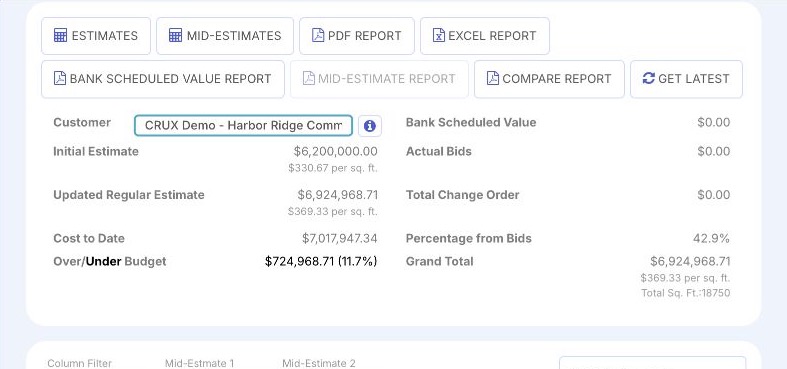
Which jobs need me, and is the pressure isolated or everywhere?
Crux organizes each job into its cost categories, so the question after "which project" has an answer on the same screen.
- Reads the book of work, then moves to the job carrying the weight.
- Sees whether one category is doing it or the whole job is drifting.
- Result: leadership time spent on a cause, not on a headline number.
Does the project reporting line up with the accounting activity?
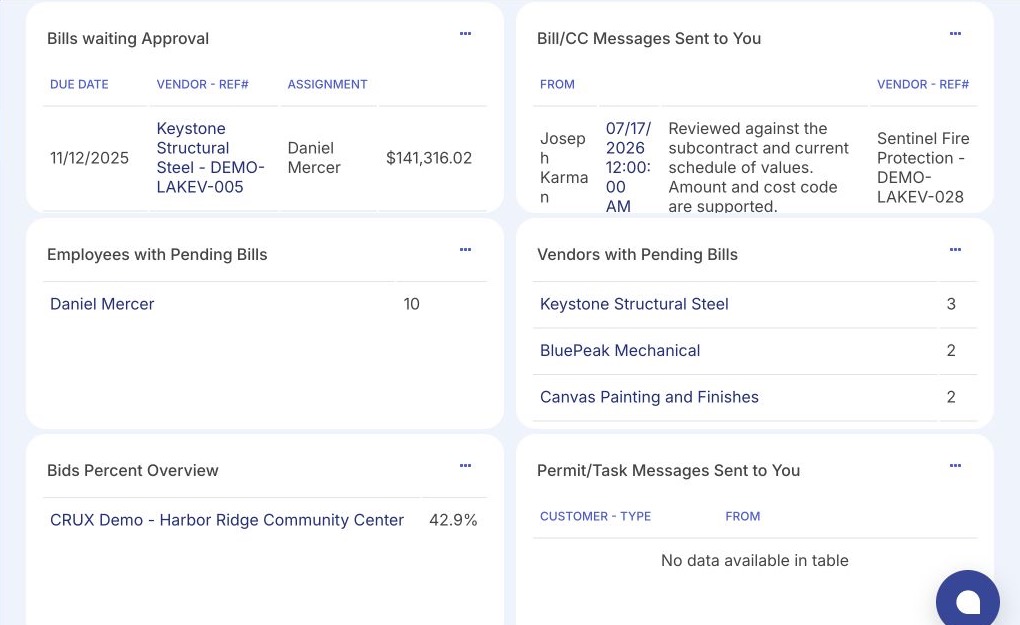
Crux shows how approved and committed cost roll into each category, so the reporting view can be checked against what accounting holds.
- Reviews coding and project assignment on the activity feeding each category.
- Finds items with incomplete context before they distort a category.
- Result: a project picture finance is willing to stand behind.
Which categories on my job are moving, and what do I say about them?
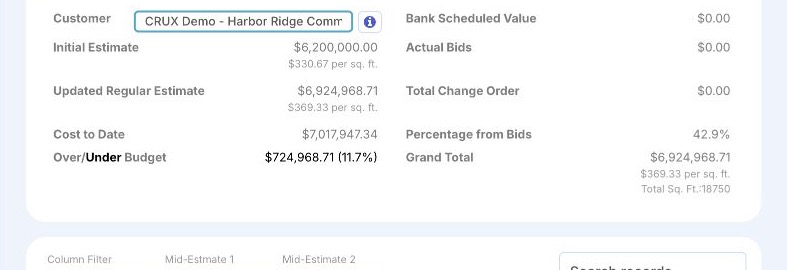
Crux shows the categories under pressure and the committed and approved activity underneath them, while the job is still running.
- Watches the categories where committed cost is closing on the budget.
- Traces a category back to the invoices and commitments behind it.
- Result: the explanation is ready before anyone asks for it.
The total arrives. The story behind it does not.
Not every contractor hits every one of these, but on many jobs the questions below are harder to answer than they should be. The number is available; the explanation has to be assembled.
A total is available, without the breakdown that would make it useful.
Answering it means pulling the detail together by hand, one code at a time.
The pieces sit across spreadsheets, inboxes, and the accounting file.
Project managers and accounting work from different views, built at different moments.
A report assembled by hand is dated soon after it is sent, and disconnected from what has since been approved.
Leadership sees the outcome without the movement underneath it, which is the part you can act on.
The project result, the activity behind it, and the record underneath.
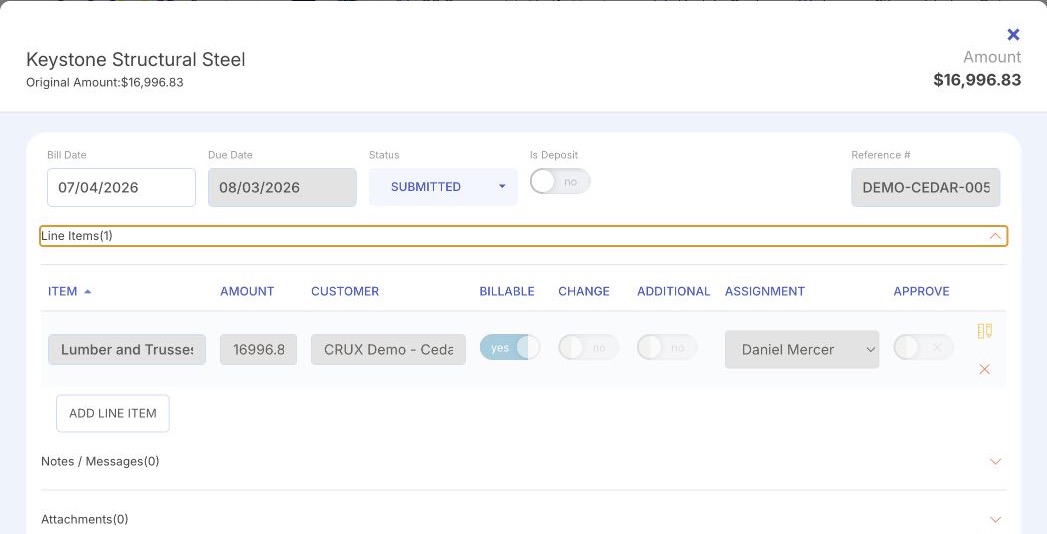
Product interface shown with illustrative data. Each screen is a different depth of the same question, from the project position down to a single approved item.
A job cost picture is a set of levels, not a single figure.
The value of the reporting is that leadership can move from "this job is under pressure" to "this category and these items are contributing to it." Each level answers a narrower question than the one above it.
Active projects and where each one stands financially.
Asked by the owner: which jobs need me?
One job: budget, committed cost, approved cost, and the variance between them.
Asked by the owner and the project manager: how is this job doing?
The job divided into the parts that make it up, each with its own budget position.
Asked by the project manager and the controller: which part of the job moved?
The approved and committed items coded to the category, with their current status.
Asked by the controller and the project manager: what is in this number?
The invoice, its project and cost context, and the documented approval decision. The accounting entry for it belongs to QuickBooks.
Asked by the controller: what exactly is this, and who approved it?
Which of these levels your team works in, and how far a given view goes, is confirmed for your setup. Crux organizes the operational project picture; the accounting record stays in QuickBooks.
Categories are what make a project number readable.
A job broken into categories can be interpreted. The same job as a single figure cannot. Structure is what lets a project manager say which part of the work moved, and lets accounting check that the cost landed where it belongs. Crux does not impose one cost structure: companies code work differently, and one project may use a different breakdown from the one next to it.
Example codes and names only. There is no universal construction cost-code standard, and Crux does not require one. Your structure is confirmed for your organization and can differ from one project to the next.
The project picture in Crux. The accounting record in QuickBooks.
Crux organizes project financial activity into a construction operating view. QuickBooks® remains the accounting system of record. Approved activity proceeds toward it; not every number is mirrored the moment it changes.
- Project and cost-category visibility
- Approval status and cost context
- Operational investigation
- Construction-specific reporting

- The ledger
- Accounts payable
- Accounting transactions and posted cost
- Financial statements
QuickBooks is a registered trademark of Intuit Inc. Crux is independent and not affiliated with, endorsed by, sponsored by, or certified by Intuit.
See what is driving the cost of your projects.
A working session looks at how your project financial reporting works today, where the picture stops short of an explanation, and how Crux connects a project total to the categories and records underneath it. It is a conversation about your process, not a production configuration, a data migration, or an accounting review.